

Most engineers have observability for production systems and almost none for their own work.
We know when a service is slow. We know when an endpoint fails. We know when CPU, memory, or latency crosses a threshold.
But we often have no idea where our own time went.
Get the guide to build your first AI agent directly in your inbox on newsletter signup:
I had that problem for years. I would finish the week feeling busy, but when I tried to name what I had actually accomplished, the answer was vague. Some meetings. Some Slack. Some coding. Some review. A lot of context switching.
That is not a discipline problem. It is an observability problem.
A few years ago, I saw Rob Dyrdek explain how he runs his life in 15-minute color-coded blocks. It looked obsessive. It also looked useful. So I built my own version.
The system worked when I used it.
The problem was that I often did not use it.
Manual time tracking fails because it asks you to interrupt your work in order to measure your work. So I moved the logging into the AI agent I already use to manage my tasks.
I’m already using AI all the time for work. I just have to type, “I’m switching to code review,” and the agent closes the previous block, creates a new one, applies the right tags, and updates Google Calendar.
The calendar becomes a log of reality, not a plan I abandoned by Tuesday.
This article is the second post in my Build a Productivity Agent series:
Post 1 - Tasks: Creating a personal backlog to track all your work, both for planning ahead and for reflecting in a retrospective.
Post 2 - Calendar: Turning Google Calendar into an AI-powered time tracking system.
Post 3 - Notes: Conversationally save and retrieve knowledge with a notes backend.
Post 4 - Email: Manage your most important information stream, the email.
Post 5 - Quick capture and review day automation: Make this agent an extension of your brain and create a tight feedback loop with weekly reviews.
In this post, you’ll learn
This is not a generic time management post. It is a technical system for turning your calendar into a productivity database controlled by an AI agent.
How AI time tracking reduces the friction that makes manual time logs fail
How to build an AI calendar agent that creates, closes, and tags Google Calendar blocks
How calendar observability shows where your week actually goes
How to use a two-tag calendar system for work, life, meetings, study, exercise, chores, and review
How the downloadable Calendar Skill turns natural language into repeatable calendar actions
Your week needs observability
A production system without observability fails silently.
Your week does the same.
Meetings expand. Deep work disappears. Learning blocks get postponed. Social media leaks through the cracks. You reach Friday with the feeling that you were busy, but no clean answer to the question, “What actually happened?”
Without logs, you call it a busy week. With logs, you see the failure mode.
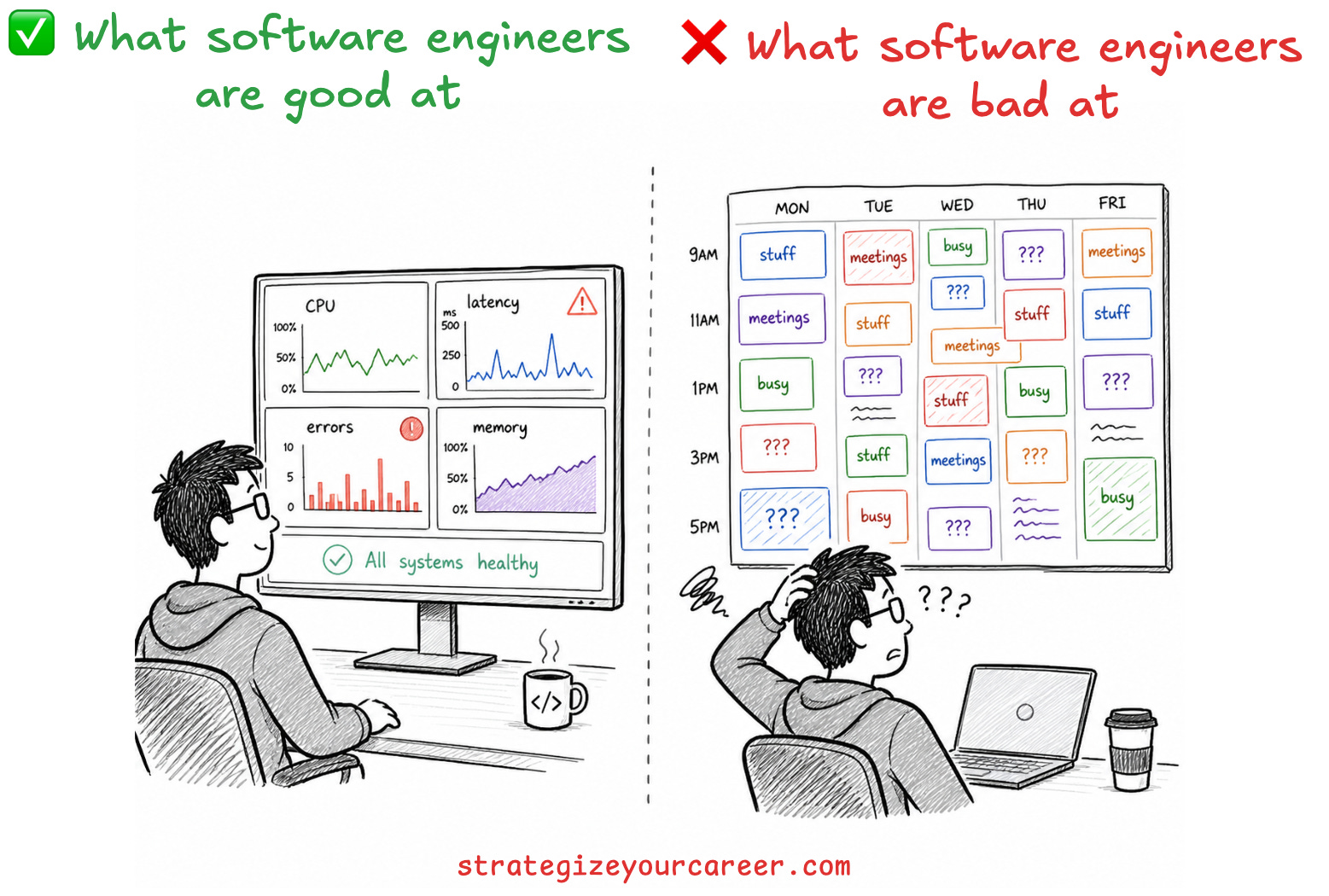
That is why calendar observability is a better framing than time tracking. Time tracking sounds like a quantified-self hobby. Calendar observability sounds like what it is: a system that helps you inspect reality before you make decisions.
The point is not to become a robot. The point is to stop guessing. If my calendar says I spent 22 hours in meetings and 4 hours in focused work, I do not need a productivity quote. I need to redesign my week.
How an AI calendar agent changes time tracking
Here is what manual calendar tracking used to look like for me:
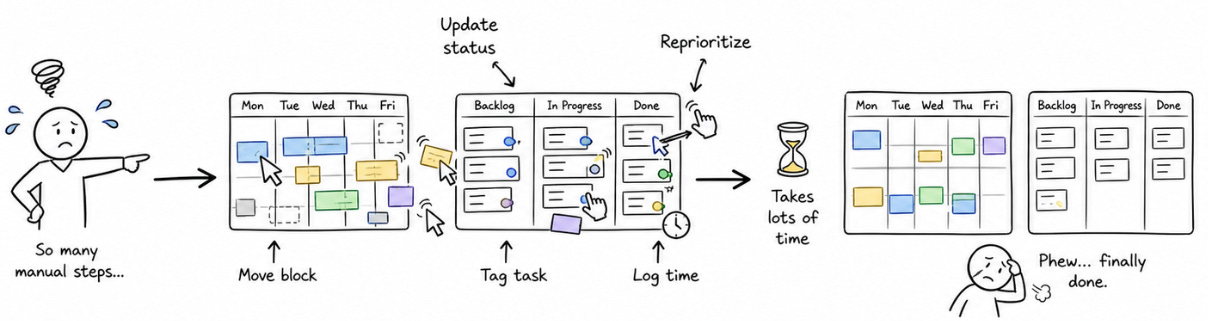
Before:

1. Open Google Calendar.
2. Create a block.
3. Choose a title.
4. Estimate the start time.
5. Guess the end time.
6. Add tags manually.
7. Repeat several times per day.
And here is what the AI calendar agent does now:
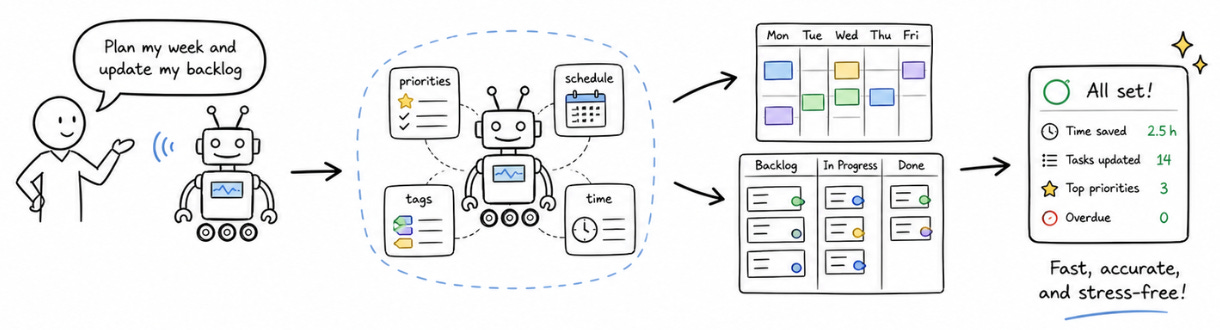
After:

1. Me: "I'm switching to code review."

Agent:
- closes the previous block at the current timestamp
- creates a new block titled "Code review"
- adds my code review tags: [#w] [#r]
- stores it in Google Calendar
- confirms the switch in one sentence
This is the whole value. The agent does not make time tracking magical. It makes it cheap enough to survive a real workday.
I still have to tell the agent when I switch context. That is the obvious objection, and it is fair. The difference is that I no longer maintain the calendar. I do not choose times, tags, colors, titles, or durations. I just narrate the transition in the tool I already use. That small distinction is the difference between a system I abandon and a system that survives real work.
This is like having an Executive Assistant that does the busywork for me.
Why manual time tracking fails for software engineers
There are three failure modes I kept hitting.
Failure mode 1: Friction at the wrong moment. You work 90 focused minutes on a feature, forget to start a timer, and now there is nothing accurate to log. One skip becomes two. Two become the new normal.
Failure mode 2: Data goes stale faster than you expect. You log Monday and Tuesday. By Thursday, the log is built from memory instead of reality. You stop trusting it, so you stop looking at it.
Failure mode 3: Raw data has no signal. “I worked 8 hours” tells you almost nothing. Were those hours deep work, meetings, review, study, admin, or scattered context switching?
The common thread is not laziness. The common thread is that the system depends on manual calendar maintenance. Most time tracking is repetitive enough for an agent to handle.
Read more about how top software engineers structure their day for deep work and focus

What a useful AI time tracking system needs
A good AI time tracking system needs three things.
First, it needs zero-friction logging. “I’m switching to email” has to be a complete command. The agent handles the timestamp, closes the previous block, and opens the new one. I should not need to open a timer app, switch tabs, or clean up Google Calendar later.
Second, it needs automatic tagging. Raw calendar blocks are not enough. I need to know whether time went to work or life, and whether the block was a task, meeting, review, study, exercise, entertainment, or chores.
Third, it needs actionable reporting. The right question is not “how many hours did I work?” The better question is “how much of my work time was focused, how much was meetings, and did I protect any learning time?”
This is where an agent fits better than a dashboard. I do not want to maintain another app. I want to ask questions in natural language and get answers from the calendar I already use.
The two-tag calendar system that turns blocks into data
Every calendar block gets two tags.
The first tag is the area:
[#w]for work[#l]for life
The second tag is the activity type:
[#t]for a focused task[#m]for meeting[#r]for review[#e]for entertainment[#st]for study[#ex]for exercise[#ch]for chores or admin
This two-tag model is the difference between a pretty calendar and useful data. One tag tells me volume. Two tags tell me quality.
For example, [#w] [#m] is work meeting time. [#w] [#t] is focused work. [#l] [#ex] is exercise. [#l] [#e] is entertainment. The agent infers both from what I say.
“Starting a code review” maps to [#w] [#r]. “Joining standup” maps to [#w] [#m]. “Going for a run” maps to [#l] [#ex]. “Reading a technical book” maps to [#l] [#st].
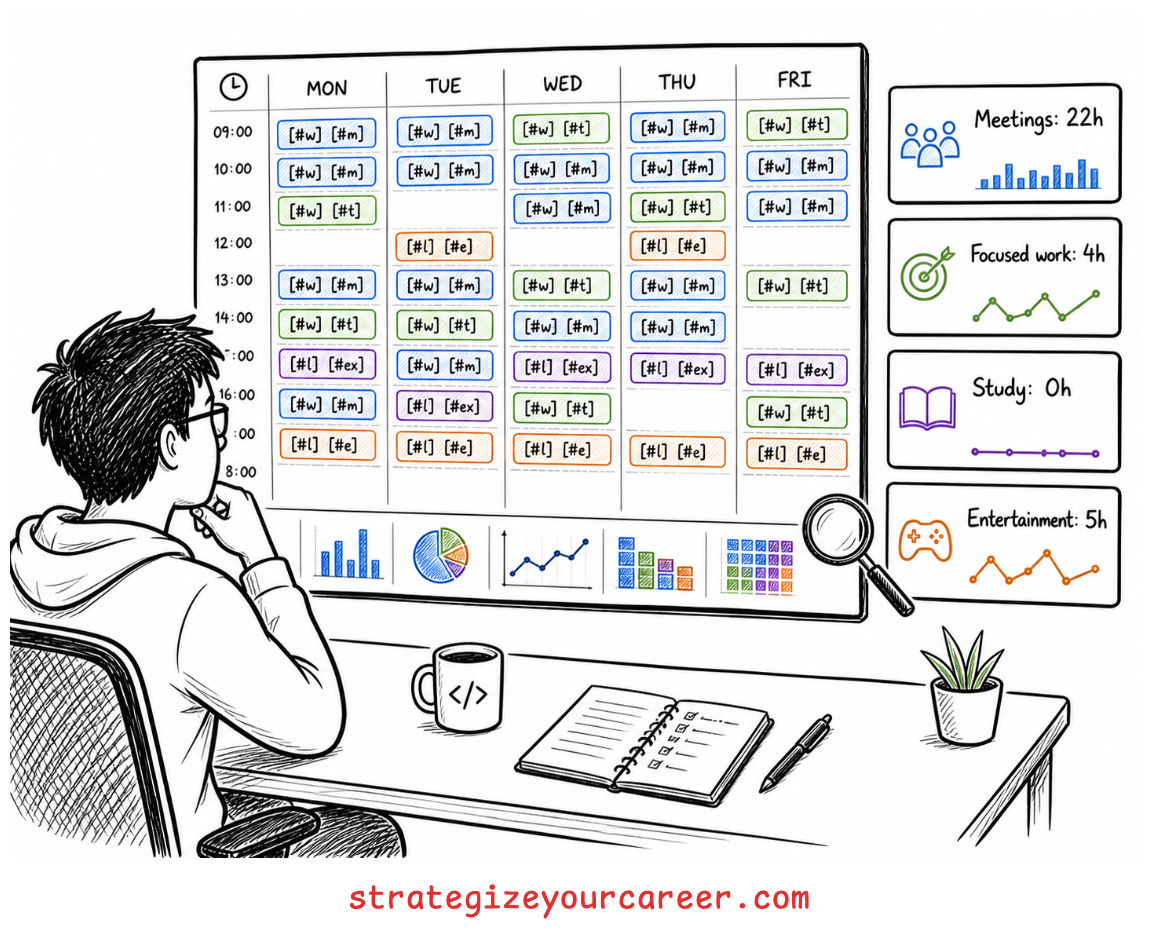
At the end of the week, I can ask the agent for time by tag. That gives me the information to know how much my actual week deviated from my ideal week.
What my calendar data revealed after tracking my week
This is the part that made the system stick.
My calendar showed me I am a morning person before I fully admitted it. Longer, unbroken blocks consistently produced better work than short, scattered ones. After lunch, my attention drops, so I now schedule code reviews, email, and admin in that window instead of pretending every hour is equal.
The data also showed me that learning blocks are mostly fictional unless they are on the calendar. I wanted to study more, but wanting did not create the time. Scheduling did.
The same thing happened with code reviews. They do not happen reliably unless I put them in the week. I now have a recurring [#w] [#r] review block timed with my team’s rhythm, and the turnaround is much more consistent.
The most painful reveal was social media. Five or ten minutes at a time felt harmless. Tagged as [#l] [#e] and summed across the week, those checks became 3 to 5 hours. The point was not guilt. The point was finally seeing the number.
You can only sacrifice what you can see.
Read more about how to use the time waiting for AI output for deep work

The rest of this post covers the full GWS CLI setup, the tagging skill, and the downloadable Calendar Skill, which you can use in an agent like Claude Code, Cursor, or Codex. You can drop it in today and have the core loop running quickly. Paid subscribers also get Post 1’s task management skill. Together, they give you the start of a full productivity agent.