Scaling Software Engineering with AI
The press says Amazon is adding more human reviews for IA-generated code. AI creates review bottlenecks. Scale your engineering by automating CI/CD pipelines
Note: My opinions are my own. I do not speak for a company, and I don’t care what’s true and what’s not from the press releases below.
Recent tech headlines about Amazon and outage incidents miss the point entirely.
The media loves a flashy story about AI breaking code, like this recent article:
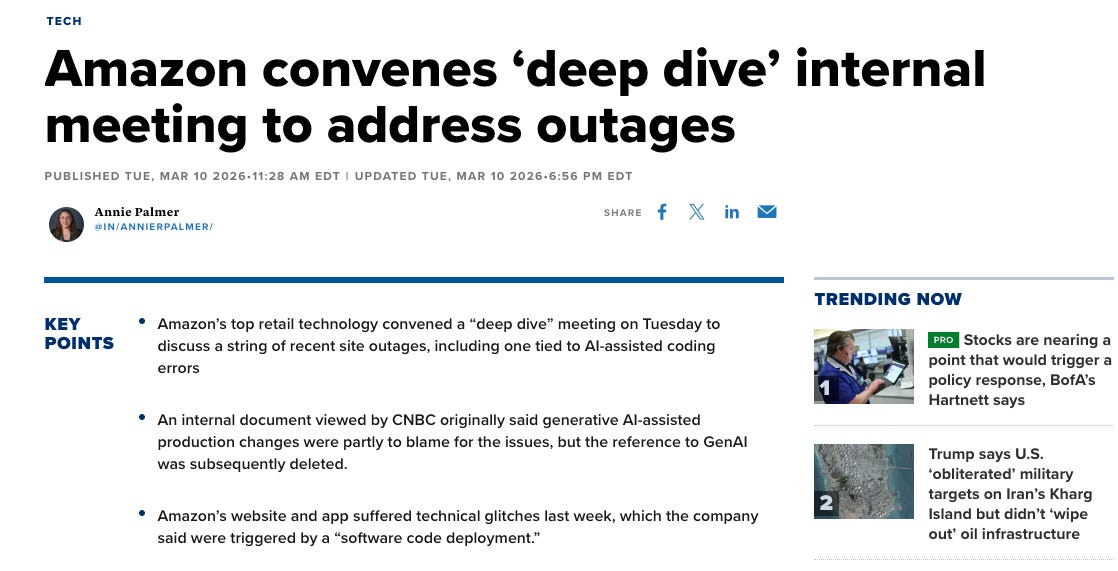
Those apparent leaks got so much attention that even Amazon had to write its own PR communication to correct the narrative.
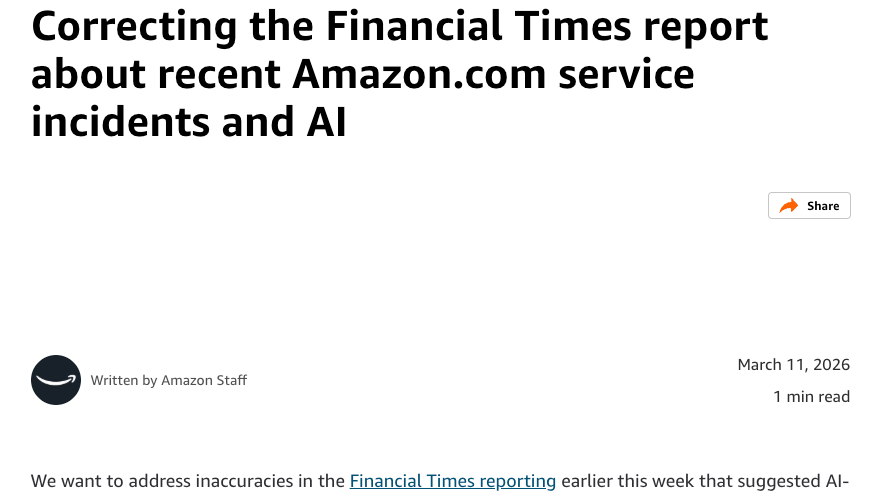
You should treat any news about big companies with skepticism unless it is communicated directly by someone from the company. Even internally, there are so many layers that direct information is hard to find.
I’m not here to talk about gossip.
I’m here to approach the real problem: How can we do good software engineering with AI?
The core points from the media that I read were:
AI causes outages by breaking production directly or by flooding engineers with so much code that reviews become sloppy.
All non-seniors’ code needs senior approval. Press and social media are making a point that Amazon fired many engineers and is now asking to have engineers as the guardrail.
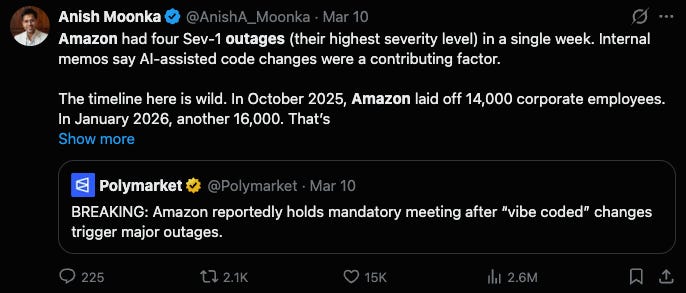
I think those headlines are looking at this situation the wrong way.
The thesis of modern development is that the bottleneck is no longer coding speed.
Let’s rephrase the problem in this way:
Pre-AI: A company was able to handle 1 diff per engineer per day.
Post-AI: Now, engineers can raise 5 diffs per engineer per day.
So is the press and social media saying that the solution is to hit the brakes and make engineers write only 1 diff per day?
That’s not a good solution.
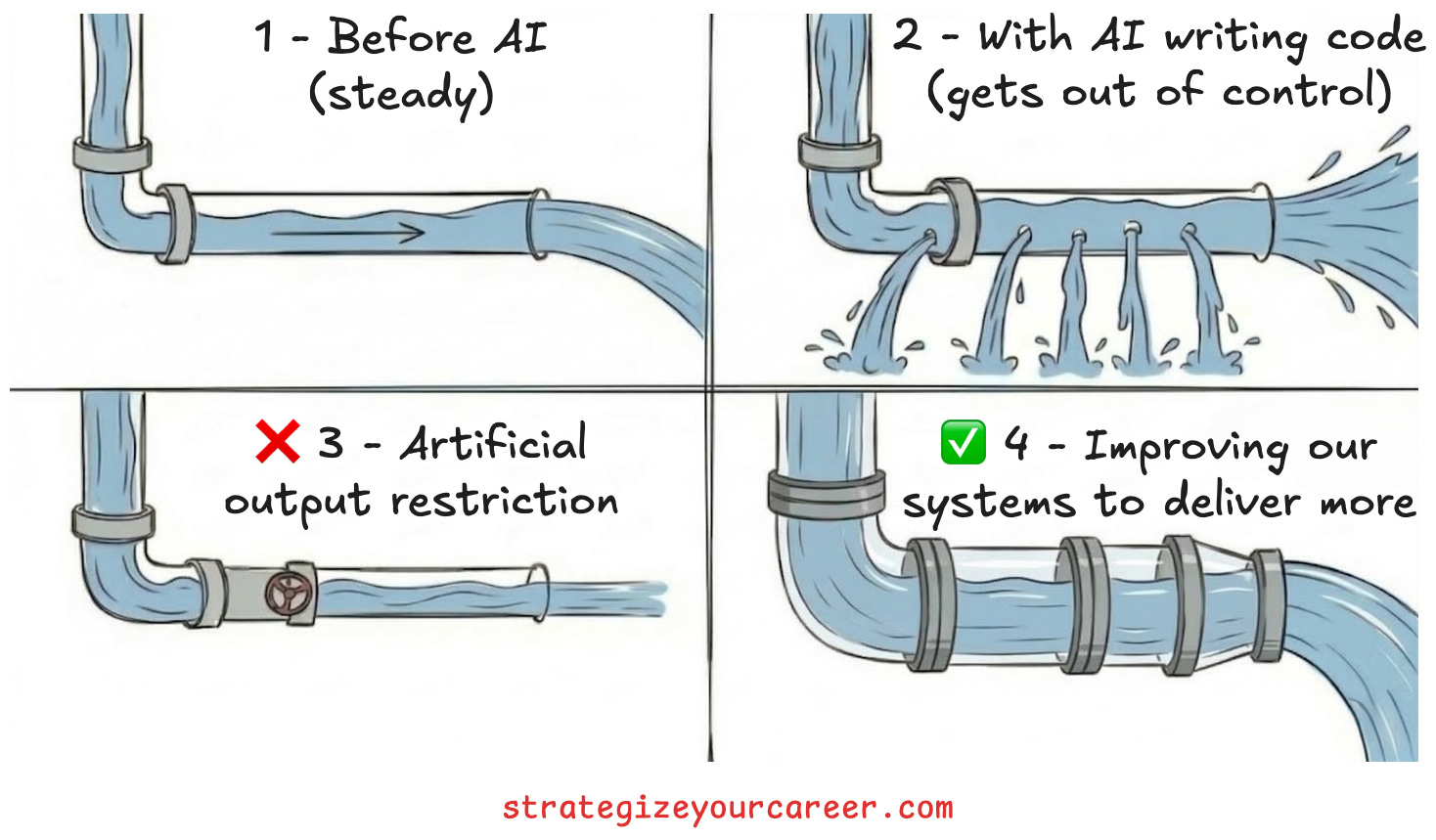
Companies change their engineering processes when they go from 10 engineers to 1000 engineers. So companies should adapt to AI the same way.
We need to apply good engineering practices to how we use these new tools to become truly productive.
Let’s learn how!
In this post, you’ll learn
Why manual safeguards create a false sense of security and drain productivity.
Concrete steps to automate your deployment pipeline and get your time back.
How the bottleneck in software engineering has shifted from writing code to reviewing code.
How to build an engineering culture that scales with rapid code generation.
The cost of manual safeguards
Let me go back 2.5 years.
I switched teams internally from Amazon retail to the Ring team by the end of 2023. I was told when interviewing for Ring that the company was still in progress to “transition” into Amazon’s ecosystem. The first day, when I arrived at my new desk, I saw we had continuous integration pipelines. So this wasn’t an outdated company at all, right?
Well, the promotions to production environments were disabled in all pipelines.
Deployments were entirely manual, relying on human reviews and checklists. We treated our code like mobile app store releases, freezing updates weeks in advance for testing. This process was built on the belief that human eyes were safer than automated machines.
Teams documented more than necessary: Commit hashes, summary of the changes, links to regression tests, and approvals from multiple leaders. They did all of this documentation by hand (it was before the AI boom).
This manual process gave everyone a false sense of security. Humans make mistakes when reading long checklists and manually verifying hashes. These processes drain productivity and prevent engineers from doing their best work.
We think things are safer when we see them, but the only way to grow and scale is to delegate. And there’s nothing better than delegating to machines.
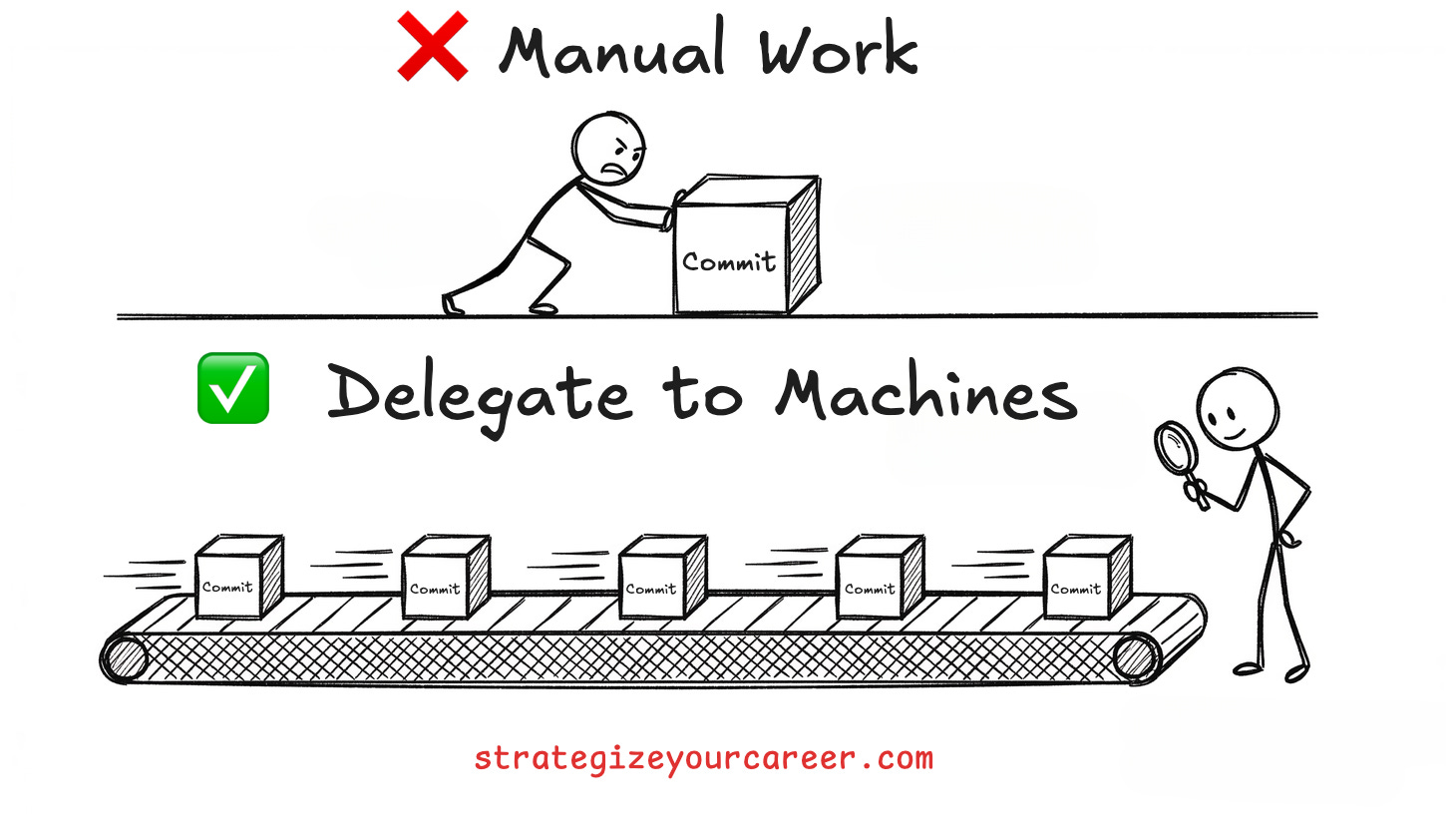
We needed to automate these steps to actually protect our systems and our time.
7 steps to automate your deployment pipeline
Since those early days, my team has done a lot of automation and applied DevOps learnings to our pipelines to adopt real continuous delivery.
The transition from manual checks to automated deployment requires some specific improvements. I agree that it’s risky to just enable a transition between non-prod and prod without any of these automated guardrails.
This upfront investment in an organization brings great returns in the long run. A team of six engineers can now manage eight services because they do not waste time on manual pipeline tasks (this same team only owned three, from which two were in KTLO).
Here are some of the guardrails needed to have a real CI/CD pipeline
Deploy all your infrastructure as code. This is the best way to maintain environment parity and be able to audit it.
Add testing to the pipeline. Improve the pipeline to run integration tests, canary tests, and load tests automatically before promoting any changes.
Establish robust monitoring. You need to track core metrics like availability, latency, and resource utilization for any backend service. For asynchronous workflows, you should monitor the oldest event and track messages in dead letter queues to measure failure rates. You need these metrics in all non-prod environments too, so you catch issues early in the pipeline and stop deploying them.
And you should also ensure that changes don’t break dependencies. Add contract testing to ensure backwards compatibility.Update your deployment strategy. We started using canary deployments to test changes on a small subset of traffic first. For example, you can deploy to one percent of customers, run regression tests, and leave time to gather metrics before promoting to the next stage.
Implement auto rollbacks. You must make certain that a safety net exists to revert to the previous version instantly if something breaks in production.
Decouple deployment from release. We started putting all new code behind feature flags. The code deploys automatically, but we control when the customers see it by toggling the flag. We write the deployment checklist only when toggling a flag, and release gradually to minimize risks. For one project (one flag), we may have dozens of commits, so we write fewer of these manual checklists
Improve local development environments. We fixed authentication and connectivity issues so developers could test locally before raising their PRs. Otherwise, people wrote code blindly and had to wait for a deployment in non-prod environments to test
The team had human reviews in PRs, and that wasn’t removed. However, when reviewing a PR, the feelings are pretty different now.
Before, making a mistake meant an outage. Now, making a mistake is probably caught before production, and if it’s not, it’s contained to a subset of requests and automatically rolled back to the previous working version.
This is the story of a team that raised its commit throughput from those early days. Besides being able to develop locally faster, their CI/CD pipeline started supporting a higher commit throughput.
A better system allowed the team to deliver more.
The AI shift
There’s a new reality of software development: AI is speeding up the software development process at an unprecedented rate.
I published an article a couple of weeks ago with Gregor Ojstersek that 180.000 engineers and leaders received. The main point I made in that article is that we are experiencing a historical shift in engineering constraints.
In the past, humans waited in line to test their code on a mainframe machine. Today, humans struggle to keep up with the massive volume of code generated by machines themselves.
Long ago, the bottleneck was the machine. Now the bottleneck is the human.
There’s no sense in making your organization slow for the weakest link in the chain (humans in this case). We must scale the systems so no link in the chain can slow down the new capabilities unlocked with AI.
So we need to set up systems that allow us to safely create code incredibly fast. We can only achieve this speed securely if we have a strong automated process in place.
Once again, if engineers can raise 5 diffs per day now, there’s no point in artificially restricting them to raise only 1. Unless I can work 1 hour with the same salary instead of 8+ hours per day, I don’t want an artificial restriction on my throughput.
We must scale our development systems and our pipelines to handle this new throughput effectively.
Building a healthy system for AI development
I’ve already covered 6 points to make a robust CI/CD pipeline. All of those apply to the AI, but let’s also look at AI-specific guardrails.
A CI/CD pipeline is about transforming basic programming knowledge into a scalable engineering system. Instead of having an application that works in your local environment, you create a pipeline for software that gets released continuously.
With AI, we have to achieve the same.
Building the habits of thinking in systems is the exact organizational skill you need to grow your career today. This is what I always write about in this newsletter and what paid subscribers are willing to pay money for.
In the earlier story about the team’s transformation, we shifted many things in the software development process to the left, like:
Instead of testing a release candidate, test each commit in the pipeline and locally before merging
Instead of relying on humans having to rollback an issue, let the pipeline automatically block promotions between stages and auto-rollback
With AI, the key principle is to move things further to the left. In particular, move things to the AI Agent loop.
I remember when I was learning programming, and for the first time, I understood the purpose of unit tests: It’s the only way to ensure the code keeps doing what it should when refactoring.
Same with AI, we need to have this sense of security.
Let’s assume we already have our CI/CD pipeline with strong monitoring, testing, and automated rollbacks.
Now we have to add the AI guardrails:
Let the AI Agent generate code, run unit tests, deploy, run integration tests, and iterate with the outputs of each of them until things work. Most of the agents try to do this by default, but you need to configure how to deploy and run all your tests.
Standardize your development agents. Everybody uses Agents to write code now. Only a subset of those people defines shared rules and context, like
Agents.mdfiles. Very few actually share their AI agents themselves, with version control
Don’t limit yourself to sharing with your team agents to write code. Researching, writing a design document, reviewing code, writing tests… You name it.
Your team should share the building blocks for AI agents the same way you share linter rules, so all the code looks consistent. If you don’t know what agent building blocks are, I wrote an article that went quite viral about the 10 steps I followed to build an AI agent that works while I sleep at Amazon.
For mature agents, you should also have some evals to ensure a new code change in an agent doesn’t cause a regression in its performance.Create agents for incident response. The same way you’d create a runbook with all the SOPs (Standard Operating Procedures) that an engineer on-call may need to troubleshoot and mitigate an outage, you can create agents to help on that.
In the past, you’d create a script to query your logs faster than manually clicking a web interface. Now you can delegate all of that to an AI agent.Invest the extra time in system design. Do not let the speed of code generation rush important architectural decisions. The promise with AI was that we’d stop worrying about syntax and we’d focus on higher-leverage activities.
But most teams are rushing to do more and more code, resulting in less mental bandwidth to think about the important architectural decisions.
Lastly, have a good postmortem process in place. When an outage happens, look at the flaws of the system and solve them deterministically to keep a high speed in the development process.
Solve the actual problem. Don’t artificially lower the speed.
Conclusion
I intentionally didn’t use trendy terms like “vibe-coding” in this text because it means something different to everyone. I don’t care what you call it, but using AI to write code will not disappear
AI is generating code fast, as if your company got 3x its number of engineers in one day. You need to think about how to onboard those engineers fast and safely.
Production-grade code is the result of a good software engineering process. You need monitoring, testing, and solid pipelines. Otherwise, it’s a prototype, just a proof of concept.
Human code is also sloppy if you skip good practices like thinking about API design before you write it. The same happens with code generated with AI. You can’t skip the fundamentals just because the typing happens faster.
Let’s use the ideas in this post to build stronger applications and services.
If we can raise more diffs per day, let’s use those extra diffs to create tests and metrics instead of skipping them because “we have a tight deadline”. We always had tight deadlines.
Strong services allow you to develop features faster.
Let’s build strong services 🤝
If you found value in this post:
❤️ Click the heart to help others find it.
✉️ Subscribe to get the next one in your inbox.
💬 Leave a comment with your biggest takeaway
Today’s article will allow you to do your work faster with AI, moving from phase 1 to phase 2. I’m building this system below for paid subscribers. Thanks for your continued support!
🗞️ Other articles people like
👏 Weekly applause
Here are some articles I enjoyed from the past week
How Agoda Load Balanced Kafka by Saurabh Dashora . From manual fixes to automated systems that handle traffic spikes.
Refactoring Databases Is a Different Animal by Raul Junco . How to ensure your systems remain stable during complex data migrations.
Hungry Minds by Alexandre Zajac. This is my go-to source to find good articles to read!
This may interest you:
Are you in doubt whether the paid version of the newsletter is for you? Discover the benefits here
Could you take one minute to answer a quick, anonymous survey to make me improve this newsletter? Take the survey here
Are you a brand looking to advertise to engaged engineers and leaders? Reach out here
Give a like ❤️ to this post if you found it useful, and share it with a friend to get referral rewards